Is my phone eSIM compatible? Your phone is eSIM compatible if its exact model and regional version support eSIM. Before buying a travel plan, also confirm that it is carrier-unlocked and that your chosen provider accepts the device. An “Add eSIM” button or an EID number is a useful clue, but neither completes all three checks.
This guide helps you check an iPhone, Samsung Galaxy, Google Pixel, or another Android phone without relying on a long device list that may miss regional exceptions.
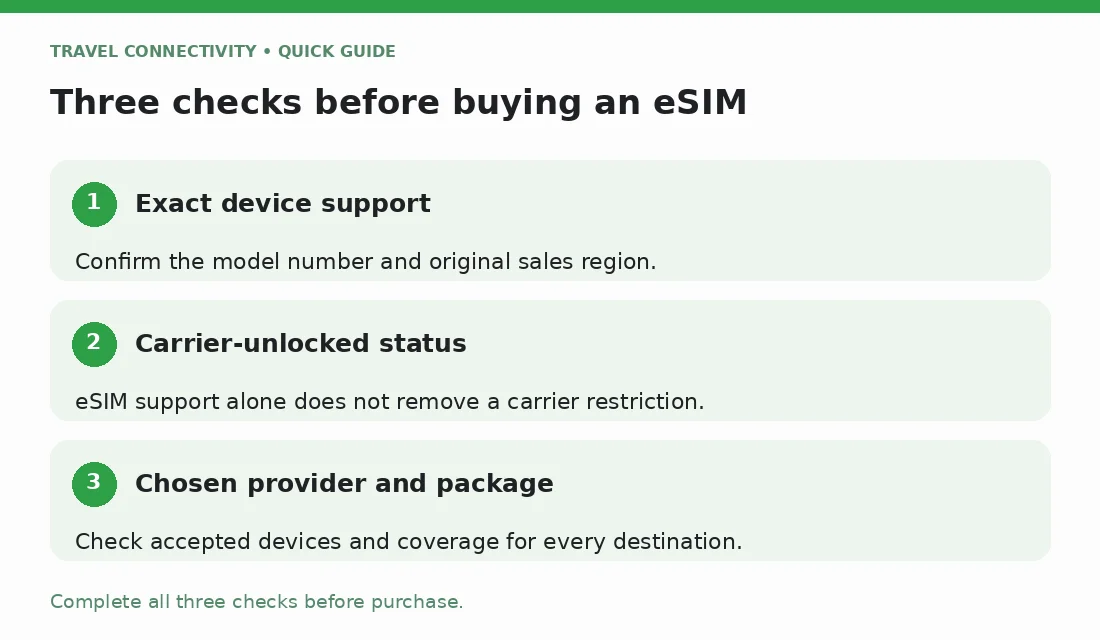
Start with three separate compatibility checks
Work through these questions in order:
- Does this exact phone support eSIM? Check the model number and the country where it was originally sold.
- Can it use another provider? A phone can support eSIM while remaining locked to its original carrier.
- Will the chosen plan work with it? Confirm the provider's device requirements and the destinations covered by that package.
A “yes” to the first question is not a purchase decision. For example, a supported phone could still reject another provider's plan because of a carrier lock. A compatible device also cannot make a package cover a country outside its stated coverage.
Identify the phone you actually own
Find the model name, full model number, and software version in the phone's About screen or manufacturer documentation. If it was imported or bought secondhand, establish its original sales region rather than assuming it matches your current location.
On iPhone, go to Settings > General > About. Tap the value beside Model Number to reveal the model number, as described in Apple's model-number instructions.
Keep these details handy when checking support. A family name such as “Galaxy” or “Pixel” is too broad, and a seller's “dual SIM” description does not tell you which SIM formats the phone accepts.
How to check eSIM compatibility on iPhone
Open Settings > Cellular, or Mobile Data depending on your region, and look for Add eSIM. Then check your exact device against Apple's current eSIM requirements. Apple documents regional differences, including specific conditions for mainland China, Hong Kong, and Macao. Avoid assuming that every phone with the same marketing name has the same SIM configuration.
Next, check Settings > General > About > Carrier Lock. “No SIM restrictions” means the iPhone is unlocked. If it is locked, contact the carrier: Apple cannot remove that restriction. See Apple's carrier-unlock guidance.
After confirming device and plan compatibility, follow Jet's iPhone eSIM installation guide. Checking a setting does not require transferring or deleting your existing mobile service.
How to check a Samsung Galaxy phone
Look under Settings > Connections > SIM manager for Add eSIM. Menu names can differ with the device and software version; older instructions may call this SIM card manager or Add mobile plan.
Use Samsung's eSIM compatibility guidance to check the model and regional qualifications. Samsung explicitly warns that country of origin can affect support even when a device appears on its list. Treat a model-family match as a starting point, not a guarantee for an imported handset.
Confirm unlock status with the carrier that supplied the phone. Once those checks are complete, Jet's Samsung setup guide explains the installation process.
How to check a Google Pixel or another Android phone
For a Pixel, consult Google's official SIM and eSIM guidance. Older Pixel models have purchase-region and carrier exceptions, so a broad statement about all Pixel phones can be misleading.
Google's current setup instructions use Settings > Network & internet > SIMs > Add SIM > Set up an eSIM. The process can vary by carrier.
For other Android brands, use the manufacturer's support page for your exact model and original sales region. Samsung or Pixel instructions do not establish compatibility for a different brand. Also ask the supplying carrier about any lock; Google's carrier guidance explains why eSIM support and SIM-unlocked status are separate.
Does an EID prove my phone will work?
An EID is an identifier associated with eSIM capability. Google explains where to find it in its Pixel identification-number guide.
Finding an EID is useful evidence, but it does not confirm carrier-unlocked status, acceptance by your chosen provider, or coverage for your trip. Complete those checks separately. Likewise, two IMEI numbers or two SIM slots should not replace checking the manufacturer's eSIM specification.
Avoid posting identification numbers or installation QR codes publicly. If support needs a device identifier, provide it through that company's official support channel.
What if there is no Add eSIM option?
First, compare your menus with the manufacturer's instructions for your software version. Check for an available official software update and confirm the exact model, rather than repeatedly searching for the same menu.
If the specification says your regional device supports eSIM but the option is missing, ask the manufacturer or supplying carrier for help before purchasing. For a work-managed phone, ask your administrator whether mobile-plan changes are permitted. Do not factory-reset the phone just to test compatibility.
If an eSIM is already installed but will not connect, use Jet's eSIM troubleshooting guide; that is a different problem from establishing device support.
Final checks before buying a travel eSIM
Have a clear answer to each of these:
- Is my exact model and regional version supported?
- Is the phone unlocked, and does the provider accept it?
- Does the package cover every destination where I need data?
- Does it include the services I need, such as data, calls, or SMS?
- What starts validity, and when should I install it?
Use Jet's activation-timing guide for that final question. Then compare Jet's international eSIM options against your verified device details and itinerary. If compatibility remains uncertain, resolve it before payment rather than buying a plan as a test.
Frequently asked questions
Is my phone eSIM compatible if it already uses an eSIM?
It supports the eSIM currently in use, but another provider may have different requirements. Check carrier-lock status and the new provider's device support before buying.
Does dual SIM mean eSIM compatible?
Not necessarily. Dual SIM describes support for two lines; the device may use physical SIM cards, eSIMs, or a combination. Check the exact specification.
Can an app make an unsupported phone eSIM compatible?
An app cannot add missing built-in eSIM hardware. Use the manufacturer's specifications to establish support before downloading an app or purchasing a plan.