Are eSIMs safe? Yes, eSIMs can be safe to use when you buy from a verified provider, protect your accounts and install the intended plan. An eSIM removes the removable SIM card, but it does not prevent phishing, account takeover or phone theft. It also does not make your mobile activity anonymous.
The useful question is which risk you want to reduce. Losing a SIM card, exposing an activation code and having someone steal your phone number require different precautions.
What does an eSIM protect, and what does it not?
An eSIM lets a compatible device activate mobile service digitally. Apple's eSIM documentation describes it as an industry-standard digital SIM and documents carrier-provided activation methods.
Keep five separate areas in mind:
- Installation: whether the activation details came from your provider.
- Account access: who can authorize changes to your mobile service.
- Phishing: whether a message or website is impersonating support.
- Device security: whether someone can access your unlocked phone.
- Privacy: what the network, websites and apps can learn about your activity.
For a basic explanation, read Jet's guide to how eSIMs work. The checks below focus on protecting the service and your accounts rather than comparing SIM formats.
How should you protect an eSIM QR code?
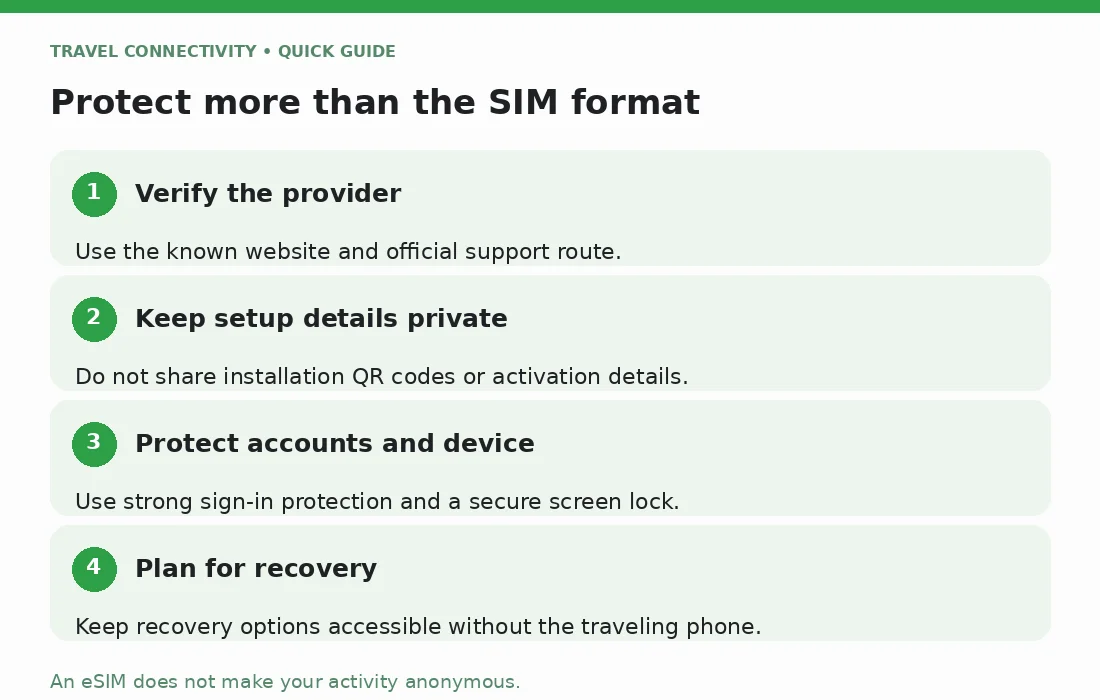
Treat an installation QR code and manual activation details as private setup information. Do not post screenshots in public forums or send them to someone offering unsolicited help. If you accidentally expose them, ask the issuing provider whether replacement or other action is needed.
Use the activation message or account area associated with your actual purchase. Check the order and provider before accepting a new plan. An eSIM profile is the installed mobile subscription; a QR code is one way to begin setting it up. A code's appearance alone does not prove who supplied it.
If a message unexpectedly says your eSIM will expire unless you scan a code immediately, open the provider's known website yourself. The FTC's QR-code warning explains how codes can lead to imitation login pages. Verify the destination before entering credentials.
For an expected Jet installation, use its iPhone setup guide or Samsung setup guide, rather than following instructions from an unknown account.
Can someone take over an eSIM phone number?
Using an eSIM does not remove the need to protect your carrier account. In a SIM-swap scam, a criminal persuades a provider to move the victim's service to another device. That is an account-control problem, not necessarily someone removing or breaking into a SIM.
The FTC's SIM-swap guidance recommends a carrier-account PIN or password and stronger authentication for sensitive accounts. Ask your carrier what protections it offers against unauthorized transfers. Use an authenticator app or security key where supported, rather than relying only on SMS codes.
A separate data-only travel plan does not secure the home phone number you use for account recovery. Protect that home carrier account too.
Is an eSIM safer if your phone is stolen?
An embedded eSIM cannot be pulled out like a removable card. Apple identifies this specific advantage for a lost or stolen iPhone. It is not a promise that the phone will remain connected or that your accounts are protected if someone can unlock it.
Before traveling, use a strong screen lock and check that device-finding features are ready. Know how to access them without your missing phone.
If theft happens, follow Apple's stolen-device instructions or Google's Android recovery instructions to mark the device as lost. Contact the provider about protecting or suspending service. Do not give passwords or verification codes to someone claiming they found it.
Does an eSIM keep your location and browsing private?
An eSIM is not an anonymity tool. Apple's cellular-location guidance explains that networks can determine location from the cell towers a device uses. Changing the SIM format does not remove that network relationship.
Review the provider's privacy policy before buying. Look for what information it collects, why it uses that information and how to contact it with privacy questions. Also review location permissions for apps; those are separate from your mobile subscription.
For private conversations, choose communication tools with end-to-end encryption and understand their settings. CISA's mobile-security advisory recommends consistent end-to-end encryption for highly targeted individuals. Its guidance is about communication security, not an endorsement of any travel eSIM provider.
Do not interpret an eSIM advertisement's word “secure” as a guarantee that all calls, messages and internet activity are private.
What should you check before buying?
Use this short decision checklist:
- Verify the seller. Start at its known website, check the support route and read the privacy policy.
- Confirm device support and carrier-unlocked status. Avoid anyone offering an unofficial workaround for a locked phone.
- Read the package details. Establish coverage, validity and whether it includes data only or also calls and SMS.
- Prepare recovery. Secure your email and mobile accounts, and keep recovery options accessible without relying entirely on the traveling phone.
- Keep installation information private. Save the provider's support details somewhere you can reach if the phone is unavailable.
If Jet fits your trip, compare its international eSIM options against those requirements. Choosing a package should not require accepting unsupported security promises.
Frequently asked questions
Does sudden loss of service mean my eSIM was hacked?
No. Coverage and setup problems can also interrupt service. However, unexpected transfer notifications alongside lost service warrant immediate contact with your carrier through a known channel. For ordinary connection problems, start with Jet's eSIM troubleshooting guide.
Should I delete an eSIM if I am worried?
Do not delete it reflexively. Apple advises against erasing an eSIM as a troubleshooting step unless the carrier directs you to do so. Contact the provider to establish the problem and recovery steps first.
Are eSIMs safer than physical SIM cards?
They avoid removable-card loss and removal, but neither format guarantees account security or privacy. Choose a supported service, protect access to it and use the same care with suspicious messages that you would with any online account.